 e39db808fb
When a view is rendered it should not be concerned with where it is going to be placed in the document; in general this should be a responsibility of the object using the view. Moreover, when the details view is rendered it should simply prepare a skeleton that includes the root elements provided by the plugins; those elements will be updated by the plugins as needed when a file or a tab is selected. Finally, the details view should not be explicitly rendered. The rendering removes the previous elements, but that is needed only when the details view is in a dirty state, that is, when new plugins were added since the last time that it was rendered. However, that dirty state is internally handled, and the view is automatically rendered again if needed when a file info is set. Due to all that the details view is no longer explicitly rendered when updating it with a different file. Also, as each file list has its own details view, and each details view has its own element, but there can be only one details view/sidebar element in the document, when the file list updates the details view it also replaces the current one in the document with its own details view if needed (that is, if it is not the current one already). Besides that, when the element of a details view is replaced with the element of a different details view the old one should be detached from the document, but never removed. Otherwise the event handlers would not work when that element is attached again later (when changing to a different section in the Files app and then going back to the previous one). Signed-off-by: Daniel Calviño Sánchez <danxuliu@gmail.com> |
||
|---|---|---|
| .github | ||
| .idea | ||
| .tx | ||
| 3rdparty@2146ef4573 | ||
| apps | ||
| build | ||
| config | ||
| contribute | ||
| core | ||
| lib | ||
| ocm-provider | ||
| ocs | ||
| ocs-provider | ||
| resources | ||
| settings | ||
| tests | ||
| themes | ||
| .bowerrc | ||
| .codecov.yml | ||
| .drone.yml | ||
| .gitignore | ||
| .gitmodules | ||
| .htaccess | ||
| .jshintrc | ||
| .mailmap | ||
| .scrutinizer.yml | ||
| .tag | ||
| .user.ini | ||
| AUTHORS | ||
| autotest-checkers.sh | ||
| autotest-external.sh | ||
| autotest-js.sh | ||
| autotest.sh | ||
| bower.json | ||
| CHANGELOG.md | ||
| CODE_OF_CONDUCT.md | ||
| composer.json | ||
| console.php | ||
| COPYING | ||
| COPYING-README | ||
| cron.php | ||
| index.html | ||
| index.php | ||
| occ | ||
| public.php | ||
| README.md | ||
| remote.php | ||
| robots.txt | ||
| status.php | ||
| version.php | ||
Nextcloud Server ☁




A safe home for all your data.
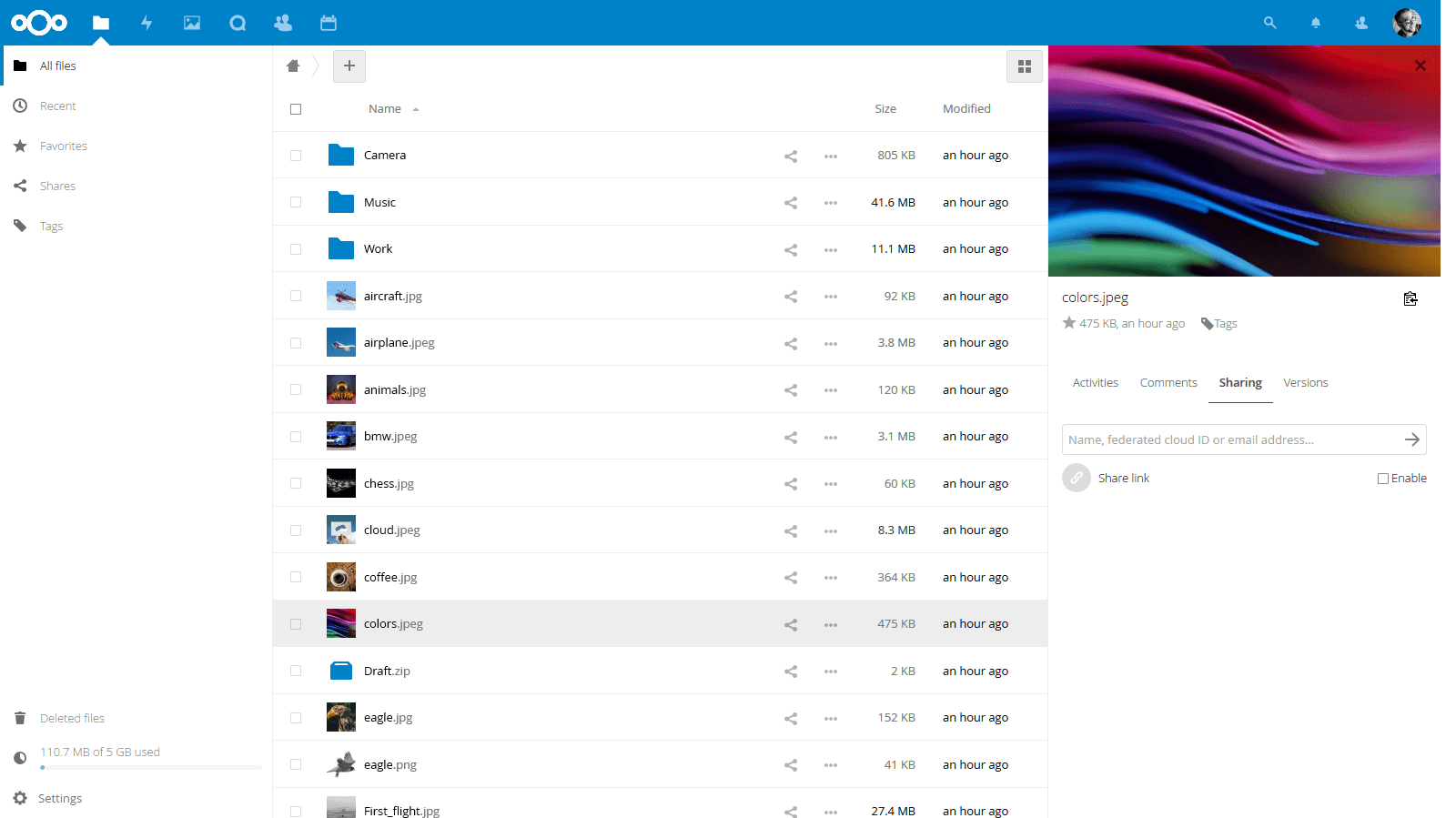
Why is this so awesome? 🤩
- 📁 Access your Data You can store your files, contacts, calendars and more on a server of your choosing.
- 🔄 Sync your Data You keep your files, contacts, calendars and more synchronized amongst your devices.
- 🙌 Share your Data …by giving others access to the stuff you want them to see or to collaborate with.
- 🚀 Expandable with dozens of Apps ...like Calendar, Contacts, Mail and all those you can discover in our App Store
- 🔒 Security with our encryption mechanisms, HackerOne bounty program and two-factor authentication.
You want to learn more about how you can use Nextcloud to access, share and protect your files, calendars, contacts, communication & more at home and at your Enterprise? Learn about all our Features.
Get your Nextcloud 🚚
- ☑️ Simply sign up either through our website or through the apps directly.
- 🖥 Install a server by yourself on your own hardware or by using one of our ready to use appliances
- 📦 Buy one of the awesome devices coming with a preinstalled Nextcloud
- 🏢 Find a service provider who hosts Nextcloud for you or your company
Enterprise? Public Sector or Education user? You may want to have a look into the Enterprise Support Subscription provided by the Nextcloud GmbH.
Get in touch 💬
You can also get support for Nextcloud!
Join the team 👪
There are many ways to contribute, of which development is only one! Find out how to get involved, including as translator, designer, tester, helping others and much more! 😍
Development setup 👩💻
- 🚀 Set up your local development environment
- 🐛 Pick a good first issue
- 👩🔧 Create a branch and make your changes. Remember to sign off your commits using
git commit -sm "Your commit message" - ⬆ Create a pull request and
@mentionthe people from the issue to review - 👍 Fix things that come up during review
- 🎉 Wait for it to get merged!
Third-party components are handled as git submodules which have to be initialized first. So aside from the regular git checkout invoking git submodule update --init or a similar command is needed, for details see Git documentation.
Several apps that are included by default in regular releases such as First run wizard or Activity are missing in master and have to be installed manually by cloning them into the apps subfolder.
Otherwise, git checkouts can be handled the same as release archives, by using the stable* branches. Note they should never be used on production systems.
Building front-end code 🏗
We move more and more towards using Vue.js in the frontend, starting with Settings. For building the code on changes, use these terminal commands in the settings subfolder:
# install dependencies
make dev-setup

# build for development
make build-js

# build for development and watch edits
make watch-js

# build for production with minification
make build-js-production

# clean output files
make clean
When making changes, also commit the compiled files!
We still use Handlebars templates some places in Files and Settings. We will replace these step-by-step with Vue.js, but in the meantime you need to compile them separately.
If you don’t have Handlebars installed yet, you can do it with this terminal command:
sudo npm install -g handlebars
Then inside the root folder of your local Nextcloud development installation, run this command in the terminal every time you changed a .handlebars file to compile it:
./build/compile-handlebars-templates.sh
Tools we use 🛠
- 👀 BrowserStack for cross-browser testing
- 🌊 WAVE for accessibility testing
- 🚨 Lighthouse for testing of performance, accessibility and more
Contribution guidelines 📜
All contributions to this repository from June, 16 2016 on are considered to be licensed under the AGPLv3 or any later version.
Nextcloud doesn't require a CLA (Contributor License Agreement). The copyright belongs to all the individual contributors. Therefore we recommend that every contributor adds following line to the header of a file, if they changed it substantially:
@copyright Copyright (c) <year>, <your name> (<your email address>)
Please read the Code of Conduct. This document offers some guidance to ensure Nextcloud participants can cooperate effectively in a positive and inspiring atmosphere, and to explain how together we can strengthen and support each other.
Please review the guidelines for contributing to this repository.
More information how to contribute: https://nextcloud.com/contribute/